Plant Dashboards — /uns/view
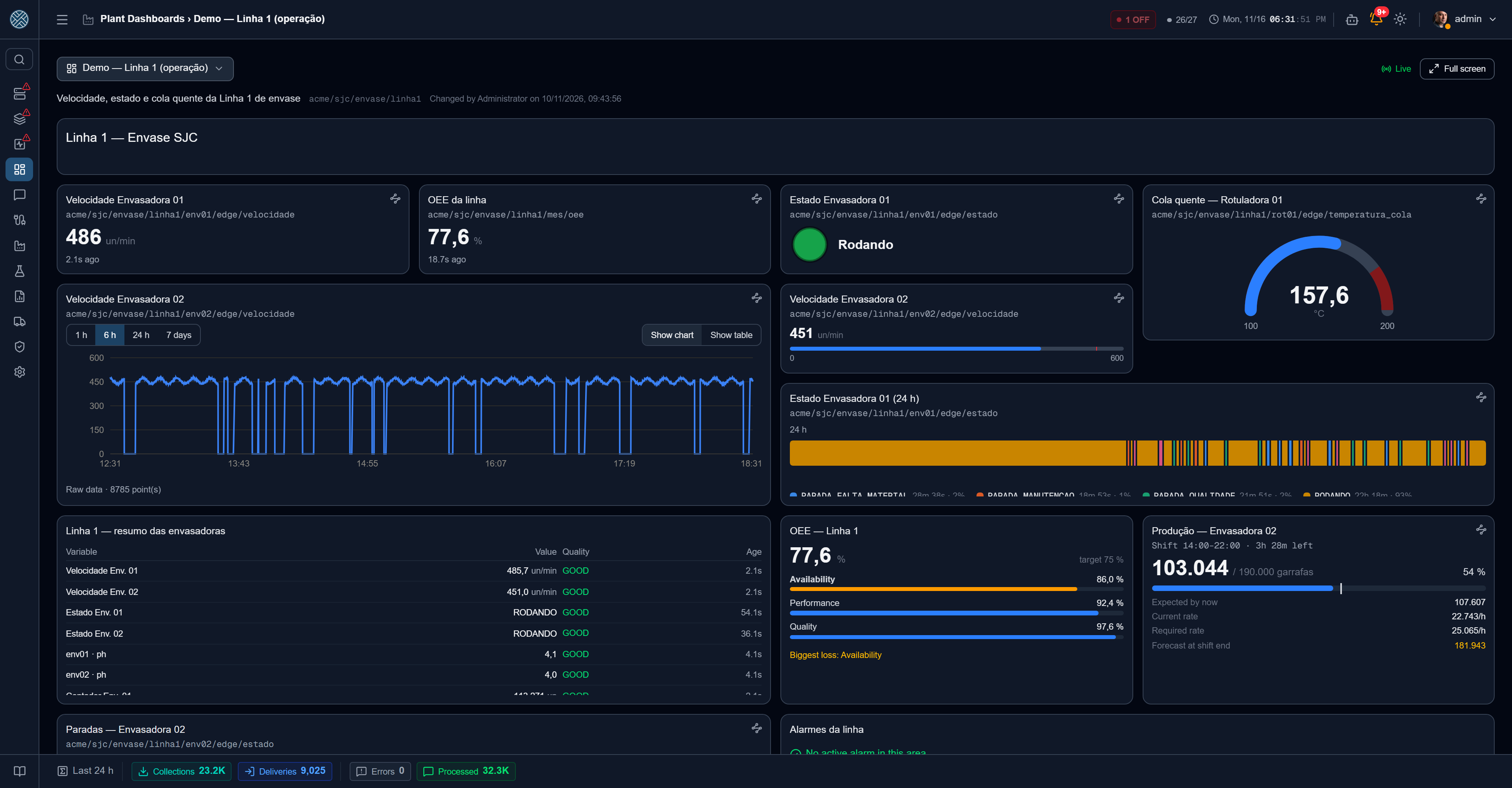
Plant Dashboards is the screen for people who only view: the operator, the supervisor, the quality team. It shows the finished dashboards, live, without the editor or the other UNS Manager screens. The item sits at the top of the menu, right under the Messages Monitor, and only shows up with the UNS module in the license.
Whoever builds dashboards stays in UNS Manager › Dashboards. That page describes the widgets; this one is only about opening and following them.
What each person sees
Three rules add up:
| Rule | Where it is configured |
|---|---|
The person needs the Plant Dashboards Tool (/uns/view), which belongs to this screen and has to be released in the profiles | Access Profiles |
| Only dashboards published and released to their profile show up. No profile selected on the dashboard = everyone with the Tool | Publishing section of the editor |
| Values are still limited by the viewer’s UNS roles. A variable outside that scope shows as No access | UNS access |
With no dashboard to show, the screen says “No dashboard is published for your profile”.
Choosing the dashboard
The picker at the top lists the available dashboards, with a search by name. The name of the open dashboard shows in the screen title, and right below come the description, the node path and who changed it last.
On entry, the screen opens the dashboard in the link; with no link, the last one opened in that browser; with neither, the first in the list. A dashboard published or unpublished by someone else appears in or leaves the list without reloading the page.
Bookmarkable link
The address holds the open dashboard (/uns/view?painel=29), so it can be bookmarked or sent as a link.
On an asset type template, the address also carries the instance (&no=).
If the dashboard in the link is not published for the profile of whoever opens it, the screen warns and opens another one.
Full screen
Full screen takes the whole monitor. On a fixed-format dashboard (TV or Monitor), the grid fills the screen without scrolling. Esc leaves. The Live indicator next to the button shows whether values are arriving.
To leave a dashboard on a TV with nobody logged in, use a wallboard token.